Published December 2, 2025
Unlock Your Creative Power with FLUX.2
A hands‑on creator’s guide to efficient image generation and editing
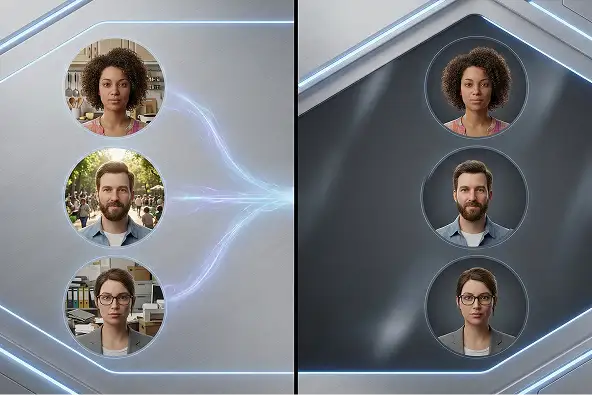
Welcome. If you are curious about using FLUX.2 to make art or visuals this guide is for you. I will walk you through how to start, what works well, and how to get the best from the tool. FLUX.2 is a modern AI image generator. It can take what you type a description, a scene, a mood and turn it into an image. It can also start from an existing picture and let you change style, background, lighting or mood. That flexibility matters because it means you do not need to be an expert designer or own expensive design tools With FLUX.2 you can go from an idea in your head to a visually polished image without much effort. You do not need complicated software or deep technical skill
What Makes FLUX.2 Useful for You
FLUX.2 gives you quality and variety. You can ask for realistic scenes, stylized artwork, conceptual illustrations, or experimental visuals depending on how you describe it You get options. Maybe you want a crisp product mockup, or a moody concept art image, or a stylized poster. FLUX.2 can adapt. And if you already have a photo or a sketch you like, you can feed that to it and transform it. You can change background, tone, color, even style It also gives you control. You can describe lighting, perspective, mood, materials, color palette, composition. The more precise you are in your prompt, the more likely you get something close to what you envision. Then you can tweak and try again.
How to Get Started with FLUX.2
First decide what you want. Do you want to start from scratch with a brand new image or do you want to rework something such as a photo or sketch If you start from scratch, think about what you want scene, mood, style, colors, lighting, camera angle. Write a clear prompt. Be descriptive to help get the best results If you start from an existing image, prepare your reference. Upload it if the platform supports it and add instructions about what you want changed. Maybe you want a color adjustment, style change, background update, or mood shift Then run the generator. Look at the result. Does it match your idea? If not, adjust your prompt. Add more detail, change style words, or adjust lighting and perspective. Try again. Repeating this is part of the process Once you get something you like, save or export it. Use it for what you need social media posts, concept art, product visuals, mockups, storytelling, or other projects
How to Use FLUX.2 on Soloa
Using FLUX.2 on Soloa is simple. Soloa has an image generation section where you can select the FLUX.2 model. Once you select the model, you just type or paste your prompt into the prompt box. You can also upload a reference image if you want to start from an existing picture. After entering your prompt, click generate. The system will process your input and produce the output image. You can then review it, make adjustments to your prompt or settings, and generate again until you get the image you like. When satisfied, you can download or save the image directly from the platform This setup makes it easy to experiment with different prompts and variations without worrying about hardware limitations. Everything is handled by Soloa so you can focus entirely on your creative process.
What You Can Do with FLUX.2
You can do many things
Create visuals for social media, marketing, ads, posters with style and consistency
Design concept art, illustrations, mood boards for creative stories, art projects, games
Build product mockups or stylized images for ecommerce or branding
Take a basic photo or sketch and transform it by adjusting colors, background, lighting, style
Experiment by mixing styles, trying surreal or abstract ideas, and exploring new combinations
It is flexible and works for casual creators, hobbyists, designers, marketers, and storytellers
Tips to Get Better Results
Be clear with your prompt. The more specific you are about what you want subject, style, lighting, colors, mood the better the result Do not expect perfection on the first try. Treat the first output as a draft. Iterate and try small changes to prompts or settings If the platform lets you use reference images use them. They help anchor style or mood more accurately Do not be afraid to edit. Use the AI output as a base and then make manual changes or combine it with other tools if needed Try different styles. Explore realism, stylization, fantasy, minimalism, surrealism and see what works best
Final thoughts
FLUX.2 is a powerful creative partner. It makes image creation fast, flexible, and accessible. If you have an idea, you can usually see a first version in minutes. Whether you want art, marketing visuals, design mockups, or creative experiments FLUX.2 gives you a canvas where words become images
Related posts
See all posts